Shops
Buying from NPC shops and selling to the Scrap Dealer.
Shops
Buying items
To use a shop, simply right-click the relevant shop NPC. An interactive menu opens, displaying purchasable items across multiple pages. Provided you meet the level requirement and have enough money, you can buy them directly.
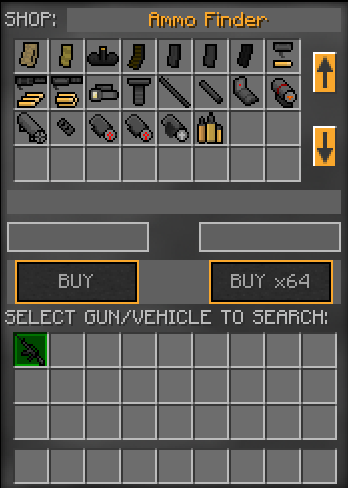
The Ammo Finder
Opening the Ammo Finder interface reveals several pages of ammunition, attachments and explosives. It also has a special function: if you have a gun or vehicle in your inventory, you can click on it to automatically search for compatible ammunition or attachments. It's a quick way to confirm what works with what without trial and error.
Selling items
To sell items, right-click the Scrap Dealer NPC. The interface offers three options:
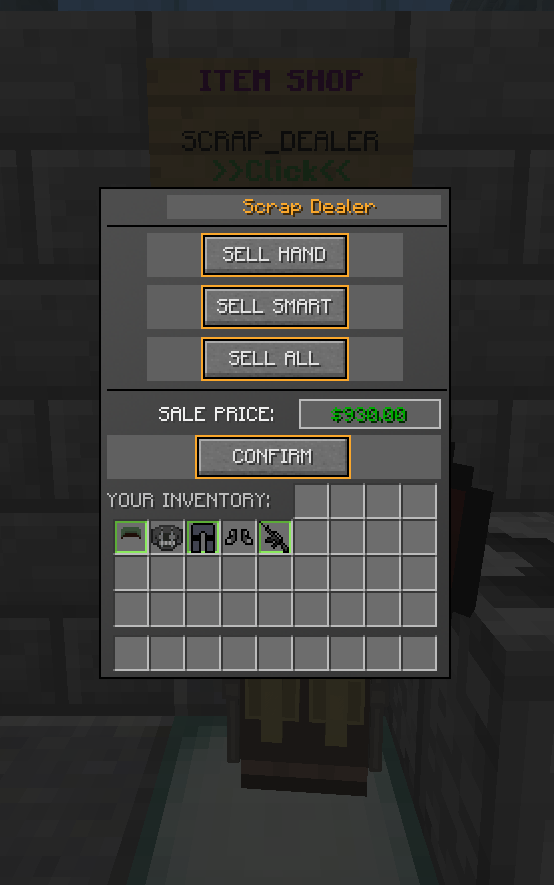
- Sell Hand — sells whatever is currently in your hand.
- Sell Smart — sells everything in your inventory except items in your hotbar and armour slots.
- Sell All — sells absolutely everything, including the armour you're wearing.
None of these three options will sell vehicles; you have to select a vehicle manually if you want to part with it.
As a general rule, any item that can be bought from a shop NPC can be sold back to the Scrap Dealer for roughly 50% of its purchase price. A handful of exceptions exist, but the 50% guideline is a useful planning tool. Note that you cannot sell vehicles using any of the three standard sell options; they must be manually selected from your inventory.